Appearance
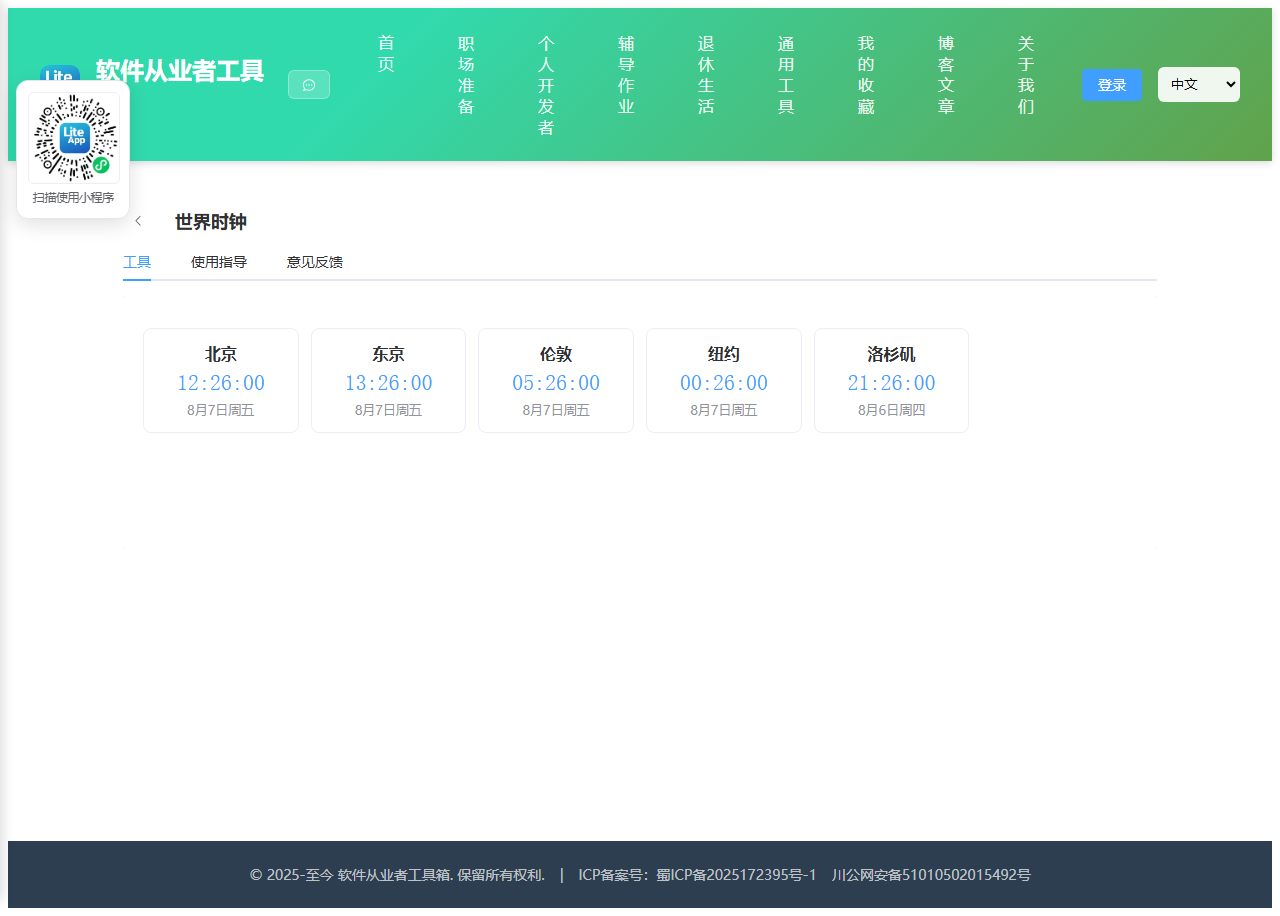
实现 世界时钟 工具
分类:general | 标签:时钟、时区、世界 多城市实时时间对照
2.1 功能说明
多城市实时时间对照
2.1.1 使用指南
功能说明
同时显示多个城市的当前时间(基于浏览器时区数据库,每秒刷新),用于跨国协作与时间对照。
使用场景
跨国会议、看盘、跨时区协作。
2.2 代码实现
2.2.1 组件结构
本工具是一个基于 Vue 3 <script setup> 语法的单文件组件(SFC),统一包裹在 ToolPageShell 组件内,由它提供页面标题、工具 ID、分类与「使用指南」插槽等通用外壳;核心业务逻辑(响应式状态、计算属性、事件处理函数)全部写在 <script setup> 中,输入/输出通过 el-input、el-button 等 Element Plus 组件与用户交互,所有数据均在浏览器本地处理,不会上传服务器。
2.2.2 核心逻辑概览
<script setup> 中定义的主要函数/方法:
timeOf()dateOf()
2.2.3 关键实现代码
以下是该工具的完整 <script setup> 实现(核心代码)。模板(<template>)与样式(<style>)已省略。
vue
import { ref, onUnmounted } from 'vue'
import ToolPageShell from '@/components/ToolPageShell.vue'

const cities = [
  { city: '北京', tz: 'Asia/Shanghai' },
  { city: '东京', tz: 'Asia/Tokyo' },
  { city: '伦敦', tz: 'Europe/London' },
  { city: '纽约', tz: 'America/New_York' },
  { city: '洛杉矶', tz: 'America/Los_Angeles' }
]
const clocks = ref(cities)
const now = ref(new Date())
const timer = setInterval(() => { now.value = new Date() }, 1000)
onUnmounted(() => clearInterval(timer))

function timeOf(tz) {
  return new Intl.DateTimeFormat('zh-CN', { timeZone: tz, hour: '2-digit', minute: '2-digit', second: '2-digit', hour12: false }).format(now.value)
}
function dateOf(tz) {
  return new Intl.DateTimeFormat('zh-CN', { timeZone: tz, month: 'long', day: 'numeric', weekday: 'short' }).format(now.value)
}
2.3 效果截图