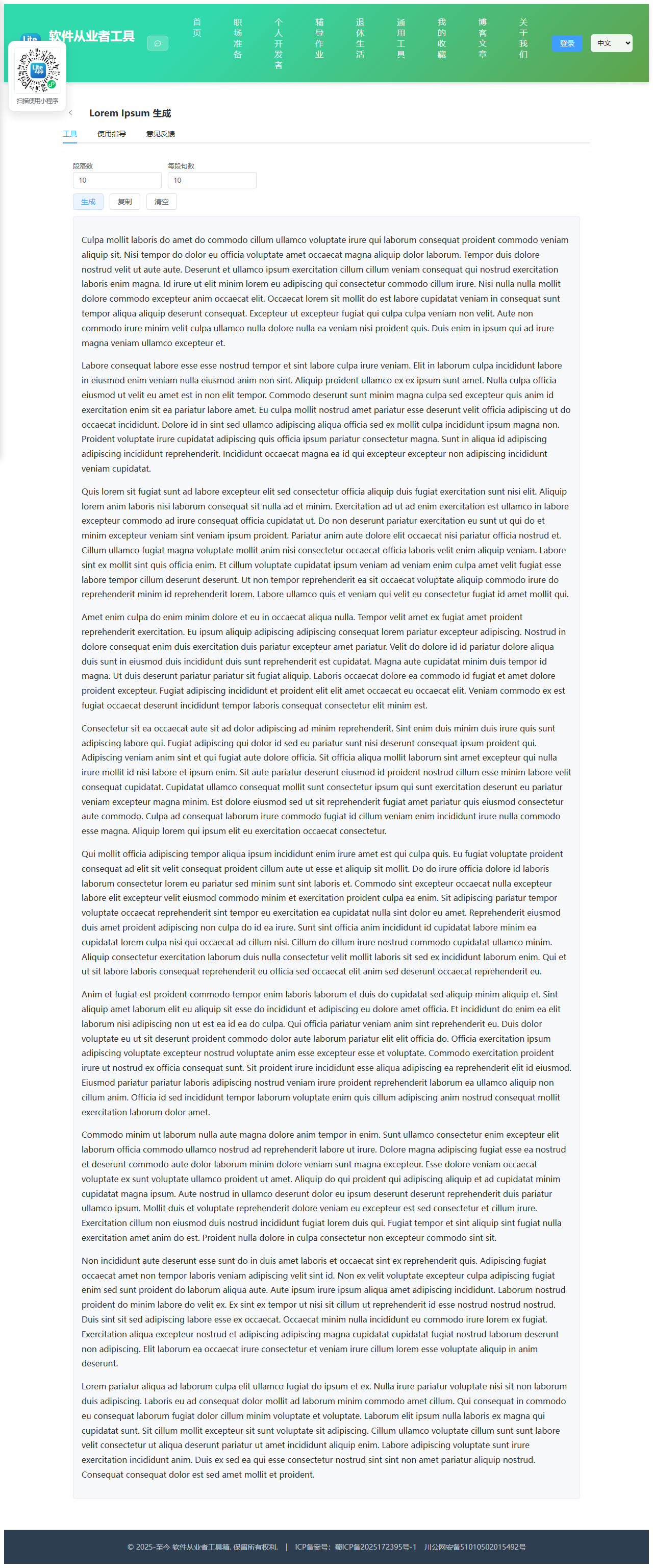
Appearance
实现 Lorem Ipsum 工具
分类:general | 标签:lorem、占位、文案 生成拉丁文占位段落
2.1 功能说明
生成拉丁文占位段落
2.1.1 使用指南
功能说明
生成随机拉丁文占位段落,用于排版预览。
使用场景
原型设计、文档填充。
2.2 代码实现
2.2.1 组件结构
本工具是一个基于 Vue 3 <script setup> 语法的单文件组件(SFC),统一包裹在 ToolPageShell 组件内,由它提供页面标题、工具 ID、分类与「使用指南」插槽等通用外壳;核心业务逻辑(响应式状态、计算属性、事件处理函数)全部写在 <script setup> 中,输入/输出通过 el-input、el-button 等 Element Plus 组件与用户交互,所有数据均在浏览器本地处理,不会上传服务器。
2.2.2 核心逻辑概览
<script setup> 中定义的主要函数/方法:
sentence()run()copy()clear()
2.2.3 关键实现代码
以下是该工具的完整 <script setup> 实现(核心代码)。模板(<template>)与样式(<style>)已省略。
vue
import { ref } from 'vue'
import ToolPageShell from '@/components/ToolPageShell.vue'

const WORDS = 'lorem ipsum dolor sit amet consectetur adipiscing elit sed do eiusmod tempor incididunt ut labore et dolore magna aliqua enim ad minim veniam quis nostrud exercitation ullamco laboris nisi aliquip ex ea commodo consequat duis aute irure in reprehenderit voluptate velit esse cillum eu fugiat nulla pariatur excepteur sint occaecat cupidatat non proident sunt culpa qui officia deserunt mollit anim id est laborum'.split(' ')
const paras = ref(3), sents = ref(5)
const text = ref('')

function sentence() {
  const n = 8 + Math.floor(Math.random() * 12)
  const arr = []
  for (let i = 0; i < n; i++) {
    let w = WORDS[Math.floor(Math.random() * WORDS.length)]
    if (i === 0) w = w.charAt(0).toUpperCase() + w.slice(1)
    arr.push(w)
  }
  return arr.join(' ') + '.'
}
function run() {
  const p = Number(paras.value), s = Number(sents.value)
  if (!Number.isInteger(p) || p <= 0 || !Number.isInteger(s) || s <= 0) { text.value = ''; return }
  const out = []
  for (let i = 0; i < p; i++) out.push(Array.from({ length: s }, sentence).join(' '))
  text.value = out.join('\n\n')
}
function copy() { if (text.value) navigator.clipboard?.writeText(text.value) }
function clear() { text.value = '' }
2.3 效果截图