Appearance
实现 浏览器信息 工具
分类:developer | 标签:浏览器、环境、信息 展示浏览器与环境信息
2.1 功能说明
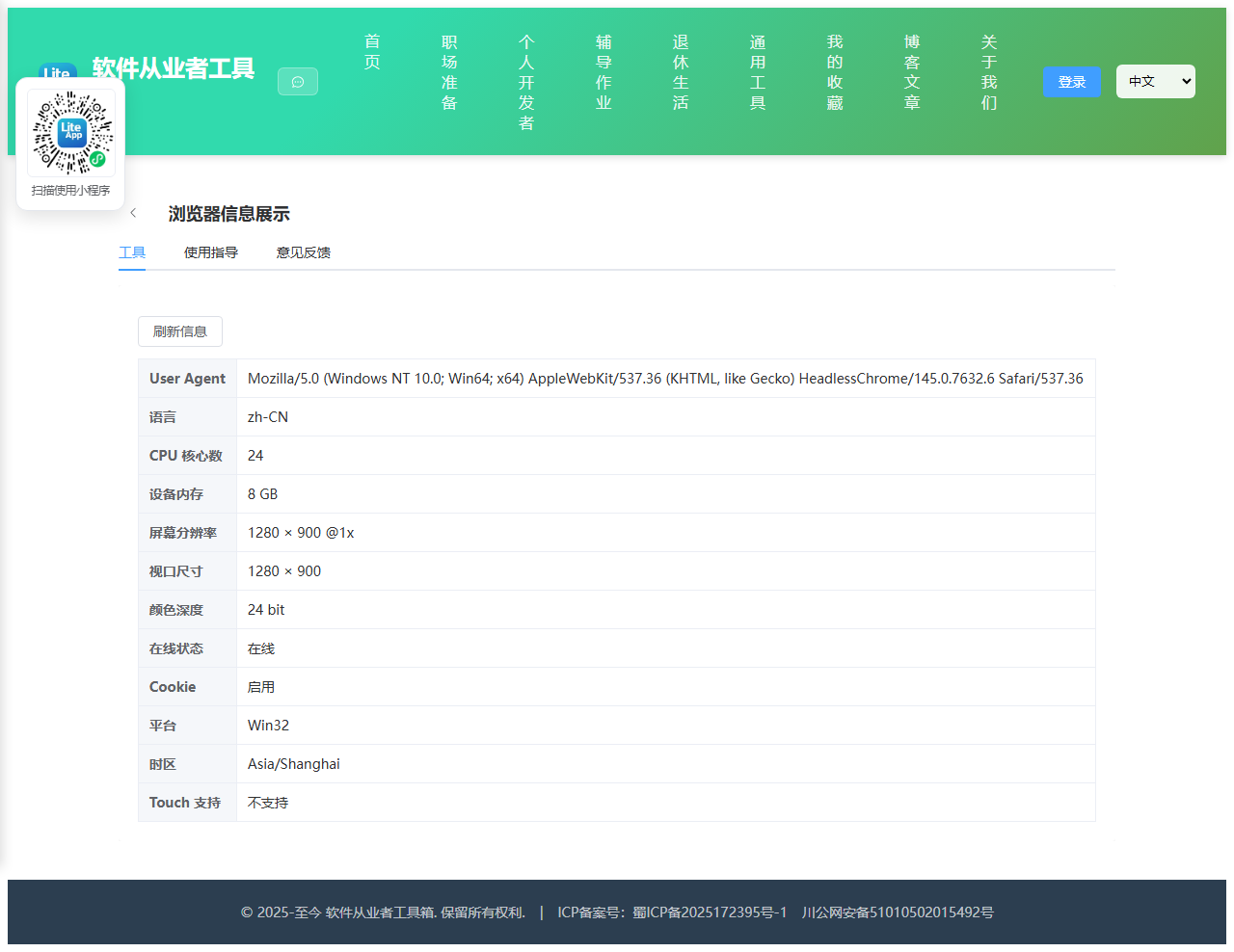
展示浏览器与环境信息
2.1.1 使用指南
功能说明
展示当前浏览器与设备的环境信息(纯前端读取)。
使用场景
兼容性排查、环境说明。
2.2 代码实现
2.2.1 组件结构
本工具是一个基于 Vue 3 <script setup> 语法的单文件组件(SFC),统一包裹在 ToolPageShell 组件内,由它提供页面标题、工具 ID、分类与「使用指南」插槽等通用外壳;核心业务逻辑(响应式状态、计算属性、事件处理函数)全部写在 <script setup> 中,输入/输出通过 el-input、el-button 等 Element Plus 组件与用户交互,所有数据均在浏览器本地处理,不会上传服务器。
2.2.2 核心逻辑概览
<script setup> 中定义的主要函数/方法:
optional()collect()
2.2.3 关键实现代码
以下是该工具的完整 <script setup> 实现(核心代码)。模板(<template>)与样式(<style>)已省略。
vue
import { ref, onMounted } from 'vue'
import ToolPageShell from '@/components/ToolPageShell.vue'

const info = ref({})

// 浏览器可能不暴露该字段(Safari/Firefox 无 deviceMemory),仅在 undefined 时显示“浏览器未提供”
function optional(v, unit) {
  if (v === undefined || v === null) return '浏览器未提供'
  return unit ? `${v} ${unit}` : String(v)
}

function collect() {
  const n = navigator
  info.value = {
    'User Agent': n.userAgent,
    '语言': n.language,
    'CPU 核心数': optional(n.hardwareConcurrency),
    '设备内存': optional(n.deviceMemory, 'GB'),
    '屏幕分辨率': `${screen.width} × ${screen.height} @${window.devicePixelRatio}x`,
    '视口尺寸': `${window.innerWidth} × ${window.innerHeight}`,
    '颜色深度': `${screen.colorDepth} bit`,
    '在线状态': n.onLine ? '在线' : '离线',
    'Cookie': n.cookieEnabled ? '启用' : '禁用',
    '平台': optional(n.platform),
    '时区': Intl.DateTimeFormat().resolvedOptions().timeZone,
    'Touch 支持': 'ontouchstart' in window ? '支持' : '不支持'
  }
}
onMounted(collect)
2.3 效果截图