Appearance
实现 LineFilter 工具
分类:developer | 标签:行过滤、日志、过滤 按关键词保留或移除行
2.1 功能说明
按关键词保留或移除行
2.1.1 使用指南
功能说明
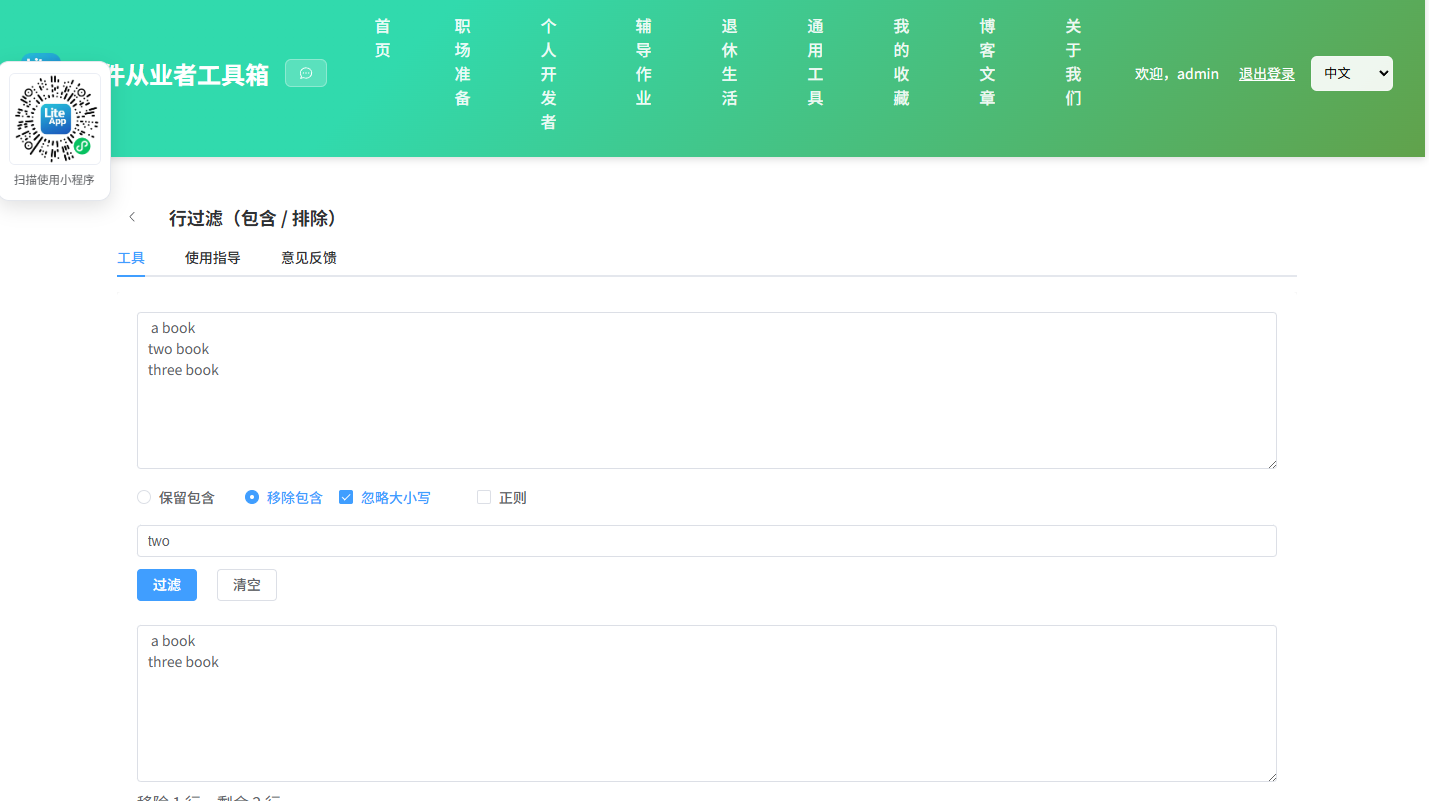
按关键词保留或移除包含该关键词的行,支持大小写敏感与正则匹配。
使用场景
日志抽取、过滤噪声行、提取特定记录。
2.2 代码实现
2.2.1 组件结构
本工具是一个基于 Vue 3 <script setup> 语法的单文件组件(SFC),统一包裹在 ToolPageShell 组件内,由它提供页面标题、工具 ID、分类与「使用指南」插槽等通用外壳;核心业务逻辑(响应式状态、计算属性、事件处理函数)全部写在 <script setup> 中,输入/输出通过 el-input、el-button 等 Element Plus 组件与用户交互,所有数据均在浏览器本地处理,不会上传服务器。
2.2.2 核心逻辑概览
<script setup> 中定义的主要函数/方法:
run()clear()
2.2.3 关键实现代码
以下是该工具的完整 <script setup> 实现(核心代码)。模板(<template>)与样式(<style>)已省略。
vue
import { ref, computed } from 'vue'
import ToolPageShell from '@/components/ToolPageShell.vue'

const input = ref('')
const kw = ref('')
const mode = ref('include')
const ic = ref(true)
const useRe = ref(false)
const error = ref('')
const output = ref('')
const matched = ref(null)

const lines = computed(() => output.value ? output.value.split('\n') : [])

function run() {
  error.value = ''
  matched.value = null
  const src = input.value
  const keyword = kw.value
  if (!keyword) { output.value = src; return }
  let test
  if (useRe.value) {
    try { test = new RegExp(keyword, ic.value ? 'i' : '') } catch (e) { error.value = '正则错误:' + e.message; return }
  } else {
    const k = ic.value ? keyword.toLowerCase() : keyword
    test = { test: (s) => (ic.value ? s.toLowerCase() : s).includes(k) }
  }
  const srcLines = src.split('\n')
  let m = 0
  const out = srcLines.filter(line => {
    const hit = test.test(line)
    if (hit) m++
    return mode.value === 'include' ? hit : !hit
  })
  matched.value = m
  output.value = out.join('\n')
}
function clear() { input.value = kw.value = output.value = error.value = ''; matched.value = null }
2.3 效果截图