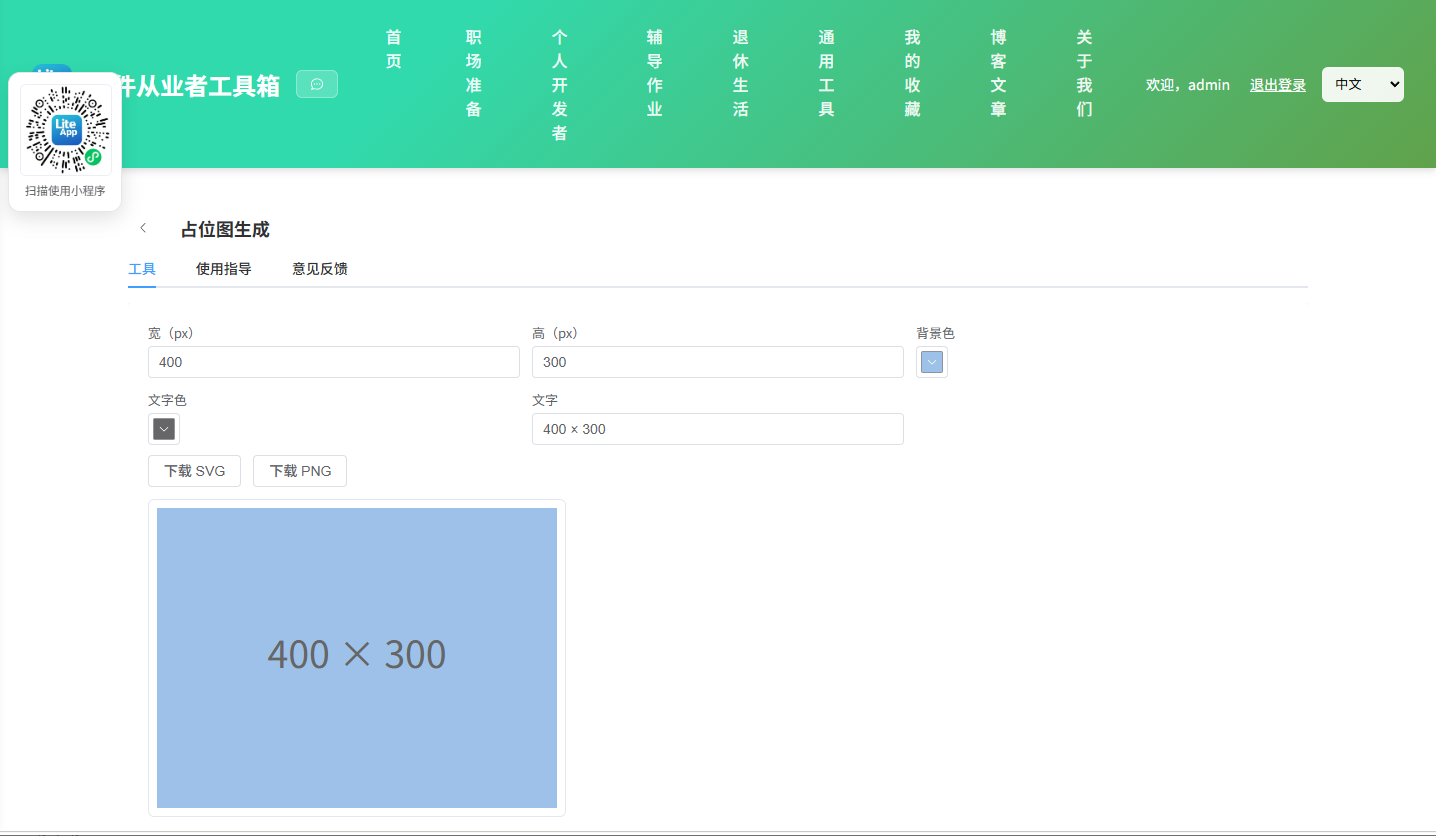
Appearance
实现 占位图生成 工具
分类:general | 标签:占位图、placeholder、图片 生成指定尺寸占位图 SVG/PNG
2.1 功能说明
生成指定尺寸占位图 SVG/PNG
2.1.1 使用指南
功能说明
生成指定尺寸的占位图(SVG),可设置背景色、文字与格式,导出 SVG / PNG。
使用场景
原型、页面布局占位。
2.2 代码实现
2.2.1 组件结构
本工具是一个基于 Vue 3 <script setup> 语法的单文件组件(SFC),统一包裹在 ToolPageShell 组件内,由它提供页面标题、工具 ID、分类与「使用指南」插槽等通用外壳;核心业务逻辑(响应式状态、计算属性、事件处理函数)全部写在 <script setup> 中,输入/输出通过 el-input、el-button 等 Element Plus 组件与用户交互,所有数据均在浏览器本地处理,不会上传服务器。
2.2.2 核心逻辑概览
<script setup> 中定义的主要函数/方法:
download()save()
2.2.3 关键实现代码
以下是该工具的完整 <script setup> 实现(核心代码)。模板(<template>)与样式(<style>)已省略。
vue
import { ref, computed } from 'vue'
import ToolPageShell from '@/components/ToolPageShell.vue'

const w = ref(400), h = ref(300), bg = ref('#cccccc'), fg = ref('#666666'), label = ref('400 × 300')
const svg = computed(() => {
  const W = Number(w.value) || 100, H = Number(h.value) || 100
  return `<svg xmlns="http://www.w3.org/2000/svg" width="${W}" height="${H}" viewBox="0 0 ${W} ${H}"><rect width="100%" height="100%" fill="${bg.value}"/><text x="50%" y="50%" fill="${fg.value}" font-family="sans-serif" font-size="${Math.min(W, H) / 8}" text-anchor="middle" dominant-baseline="middle">${label.value}</text></svg>`
})
function download(type) {
  const W = Number(w.value) || 100, H = Number(h.value) || 100
  if (type === 'svg') {
    const blob = new Blob([svg.value], { type: 'image/svg+xml' })
    save(blob, `${W}x${H}.svg`)
  } else {
    const img = new Image()
    img.onload = () => {
      const c = document.createElement('canvas'); c.width = W; c.height = H
      c.getContext('2d').drawImage(img, 0, 0)
      c.toBlob(b => save(b, `${W}x${H}.png`))
    }
    img.src = 'data:image/svg+xml;base64,' + btoa(unescape(encodeURIComponent(svg.value)))
  }
}
function save(blob, name) {
  const a = document.createElement('a'); a.href = URL.createObjectURL(blob); a.download = name; a.click()
  URL.revokeObjectURL(a.href)
}
2.3 效果截图